

Security Architecture
Security Pillars
🔐 Authentication
Multi-factor authentication, API key management, and JWT-based session security
🛡️ RBAC
Role-Based Access Control with granular permissions for team members
🔒 Self-Custody & MCP
Self-custody wallets with MCP secure key management - developers never access private keys
📊 Audit & Compliance
Complete audit trails, compliance certifications, and regular security assessments
🚨 Threat Detection
Real-time monitoring, anomaly detection, and automated incident response
🌐 Network Security
DDoS protection, WAF, and IP whitelisting for both login and API access
Wallet Security
Self-Custody Architecture
XentFi employs a self-custody model where you maintain full ownership and control of your assets. Your wallets are non-custodial, meaning XentFi never has direct access to your funds.MCP Secure Key Management
XentFi uses MCP (Multi-Party Computation) for secure key management:Authentication
API Key Authentication
All API requests require authentication with an API key:Security Best Practices
- Rotate API keys regularly - Schedule key rotation every 90 days
- Use environment variables - Never hardcode API keys in source code
- Store secrets securely - Use password managers or secrets vaults
- Never commit keys to version control - Use
.envfiles with.gitignore - Enable IP whitelisting - Restrict API access to trusted IPs
- Monitor key usage - Review audit logs for suspicious activity
Role-Based Access Control (RBAC)
Overview
XentFi implements a granular RBAC system that allows you to assign specific permissions to team members based on their roles. This ensures that team members only have access to the resources and operations they need.Available Roles
Permission Categories
Managing Team Permissions
Team members can be invited and assigned roles through the dashboard:IP Whitelisting
XentFi supports IP whitelisting at multiple levels to restrict access to trusted networks.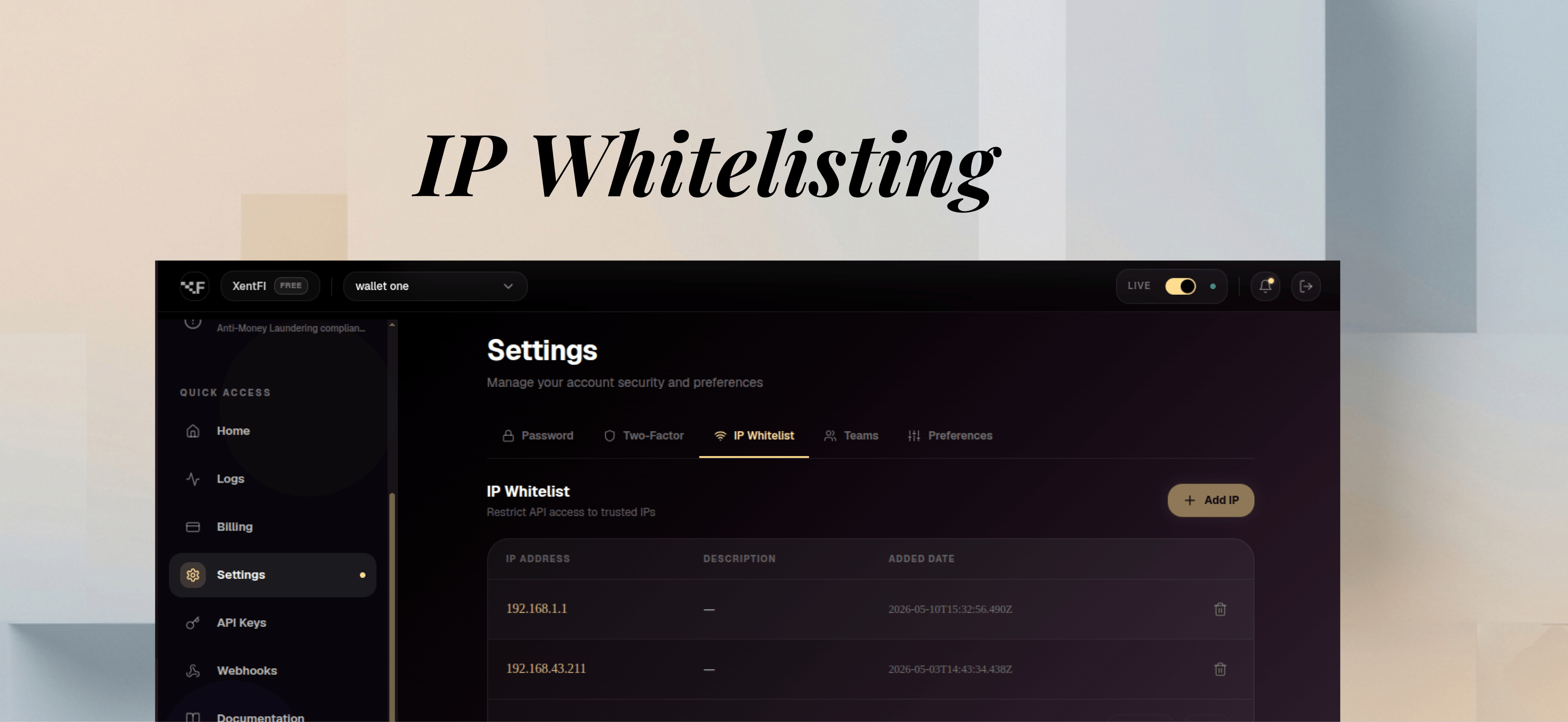
Login IP Whitelisting
Restrict dashboard access to specific IP addresses:API IP Whitelisting
Restrict API access per API key:Data Protection
Encryption at Rest
Encryption in Transit
Infrastructure Security
DDoS Protection
Rate Limiting
Monitoring & Audit
Audit Logging
Every security-relevant event is logged:Security Monitoring
Security Best Practices
API Key Management
- Rotate keys every 90 days - Regular rotation reduces exposure risk
- Use different keys per environment - Separate keys for dev/staging/prod
- Store keys in environment variables - Never in code or version control
- Implement key revocation - Have a process for immediate revocation
- Monitor key usage - Review audit logs for suspicious activity
IP Whitelisting
- Enable for sensitive operations - Restrict API access to trusted IPs
- Use CIDR notation - Group related IPs with CIDR ranges
- Regular review - Audit and update whitelist periodically
- Login restrictions - Enable IP whitelisting for dashboard access
Team Management
- Principle of least privilege - Grant minimum required permissions
- Regular role reviews - Audit team memberships and roles
- Remove inactive members - Maintain clean team list
- Use role-based permissions - Pre-assigned roles with specific permissions
General Security
- Enable 2FA - Multi-factor authentication for all team members
- Monitor audit logs - Review logs for suspicious activity
- Report security issues - Immediately report vulnerabilities
- Regular security training - Keep team informed about security practices
Security FAQs
How are private keys stored?
How are private keys stored?
Private keys are stored securely using MCP (Multi-Party Computation). Keys are split into multiple shares and distributed across secure nodes. The full private key is never assembled in one place and never leaves the secure MCP environment.
Do I have access to my private keys?
Do I have access to my private keys?
No. As a self-custody platform with MCP key management, developers never have access to their private keys. All transactions are signed securely within the MCP environment.
How do I manage team permissions?
How do I manage team permissions?
Use the Settings > Teams section in the dashboard. Invite team members and assign pre-defined roles (Owner, Admin, Developer, Liquidity Strategist, Auditor) with granular permissions.
Can I restrict access by IP address?
Can I restrict access by IP address?
Yes. You can enable IP whitelisting for dashboard login and per-API key. Support includes IPv4, IPv6, and CIDR notation. Configure through Settings > IP Whitelist.
How often should I rotate API keys?
How often should I rotate API keys?
We recommend rotating API keys every 90 days. You can rotate keys through the dashboard or API without service interruption.
What happens if there's a security breach?
What happens if there's a security breach?
We follow our incident response plan: detect, contain, eradicate, recover, and notify affected customers within 72 hours.
Compliance Certifications
Related Resources
API Reference
API security implementation details
Authentication
Authentication best practices
Webhook Security
Securing webhook endpoints
Contact Security Team
- 📧 Security Email: security@xentfi.com
- 🔒 PGP Public Key: Download public key
- 🔑 Key Fingerprint:
B12D875E805000A246C7A3FDBC8B2227D27EF519 - 🐛 Bug Bounty: bugbounty@xentfi.com