

Overview
Why Use Deposit Addresses?
🎯 Payment Tracking
Each address is unique per customer or invoice, making it easy to identify who paid and for what
🔄 Automated Reconciliation
Match incoming payments to specific customers automatically without manual intervention
🔒 Privacy & Security
Customers don’t share addresses; each transaction uses a unique address for better privacy
📊 Analytics
Track payment behavior per customer, identify trends, and optimize your payment flow
How It Works
Use Cases
Per-Customer Addresses
Assign a permanent deposit address to each customer for recurring payments:Per-Invoice Addresses
Generate a unique address for every invoice:Refund Addresses
Whitelist addresses for processing refunds:Creating Deposit Addresses
Basic Creation
Best Practices
Address Management
Naming Convention
Naming Convention
Use consistent naming patterns to easily identify addresses:
customer_{customerId}for recurring customersinvoice_{invoiceId}for one-time invoicesorder_{orderId}for e-commerce ordersrefund_{transactionId}for refund addresses
Metadata Usage
Metadata Usage
Store additional information in the metadata field:
- Customer email or ID
- Order or invoice reference
- Product or service details
- Tags for categorization
- Internal tracking codes
Address Lifecycle
Address Lifecycle
- Monitor address activity regularly
- Deactivate addresses that are no longer in use
- Keep inactive addresses for audit purposes
- Archive old addresses after 12 months of inactivity
- Never reuse the same address for different customers
Security
Security
- Enable monitoring for all production addresses
- Set up webhook alerts for large transactions
- Validate all addresses before whitelisting
- Regularly audit address configurations
- Implement IP whitelisting for API access
Monitoring Best Practices
Enable Monitoring
Enable Monitoring
Always enable monitoring for production addresses:
Alert Configuration
Alert Configuration
- Set up notifications for large transactions
- Monitor for unusual activity patterns
- Configure alerts for failed transactions
- Track address balance thresholds
Get Address Balance
Check the token balance of any deposit address:Balance Response Example
Balance Query Parameters
Get Transaction History
View all transactions for a specific deposit address:Transaction History Response
Transaction Filtering Options
Whitelisting External Addresses
For addresses you own (exchange accounts, other wallets), you can whitelist them:Whitelist Request Parameters
Whitelist Benefits
Address Monitoring
Enable Monitoring
Get real-time notifications when your deposit address receives funds:Disable Monitoring
What Gets Tracked
Address Lifecycle
Address vs Payment Link
Reconciliation Strategies
Per-Customer Strategy
Per-Invoice Strategy
Security Considerations
Dashboard View
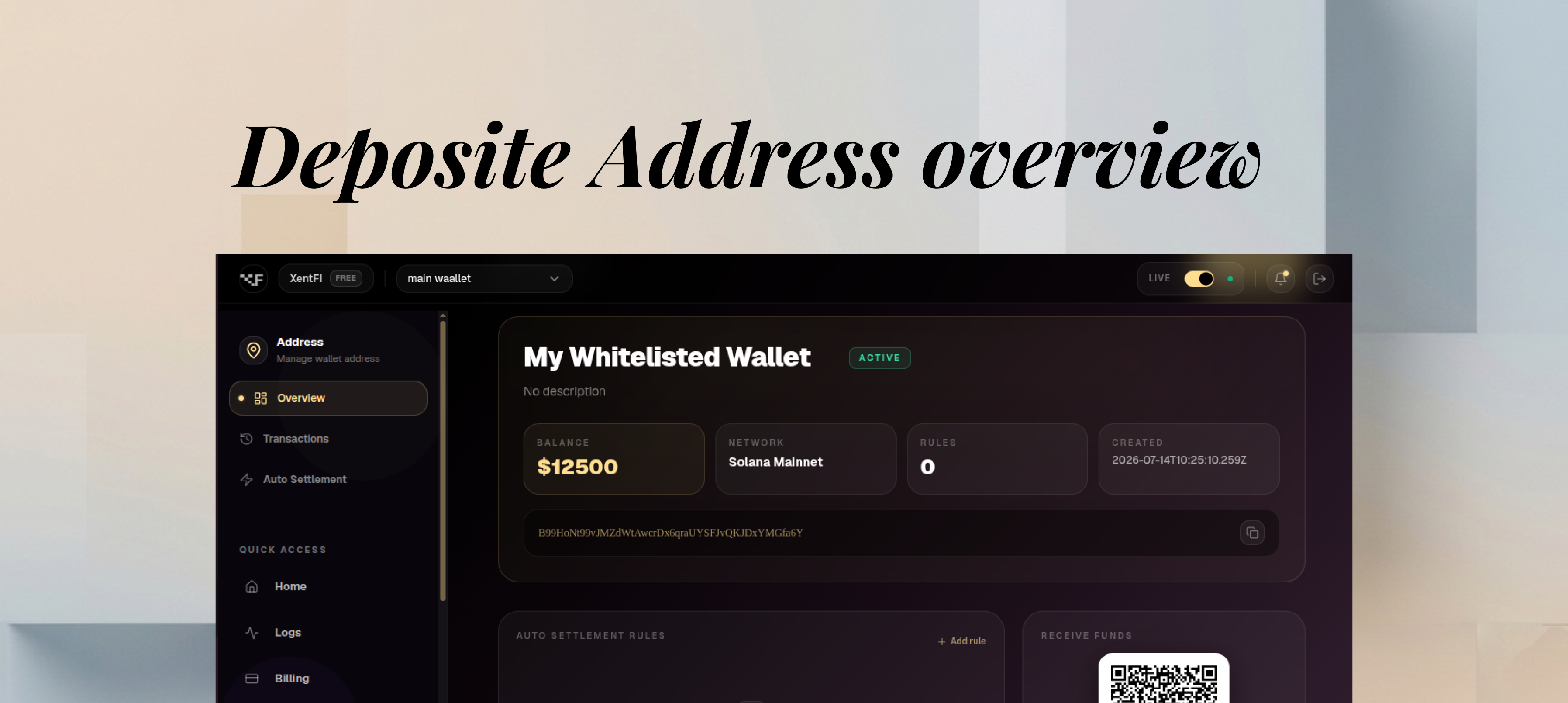
 The deposit addresses dashboard shows all your addresses with real-time status.
Common Patterns
E-commerce Checkout
- Customer places order
- Create deposit address with order ID in name
- Display address to customer
- Monitor for payment
- Update order status on webhook
Subscription Billing
- Customer signs up
- Create permanent deposit address for customer
- Store address in customer profile
- Customer uses same address for all payments
- Webhook triggers subscription renewal
Crypto Payroll
- Employee onboarded
- Whitelist employee’s personal wallet
- Set up auto-settlement to whitelisted address
- Payroll automatically distributed
Troubleshooting
Address not receiving payments
Address not receiving payments
Possible causes:
- Wrong network selected
- Address not activated
- Blockchain congestion
- Verify network matches sender’s network
- Check address status in dashboard
- Wait for block confirmations
Webhook not triggered
Webhook not triggered
Possible causes:
- Monitoring not enabled
- Webhook URL not configured
- Network issues
- Enable monitoring for the address
- Verify webhook configuration
- Check webhook logs
Wrong amount received
Wrong amount received
Possible causes:
- Sender sent wrong amount
- Decimal place confusion
- Gas fee deduction
- Verify expected amount
- Check token decimals
- Review transaction details
Performance Metrics
Pricing & Limits
Related Products
Master Wallets
Parent wallet management and treasury
Payment Links
Hosted payment pages for one-time payments
Webhooks
Real-time payment notifications
Next Steps
- Set up webhooks for real-time payment notifications
- Configure auto-settlement for automatic fund distribution
- Review API Reference for complete endpoint documentation