

Documentation Index

Fetch the complete documentation index at: https://docs.xentfi.com/llms.txt

Use this file to discover all available pages before exploring further.

Overview

Why Use Auto Settlement?

⚑ Automated Operations

Eliminate manual transfer operations - funds move automatically when conditions are met

🎯 Precision Control

Define exactly when and where funds should go using configurable rules

πŸ’° Optimize Treasury

Keep funds in the right wallets for operational needs, savings, or investments

πŸ”’ Risk Management

Limit exposure by automatically moving funds from customer-facing addresses

πŸ“Š Audit Trail

Complete history of all settlement actions for compliance and reporting

🌐 Multi-asset

Support for all assets across multiple blockchains

How Auto Settlement Works

Key Concepts

Settlement Rules

Rules define the conditions under which funds are transferred and where they go:
ComponentDescriptionExample
SourceWhich deposit addresses or assets to monitorAll USDC deposits
TriggerWhen to execute settlementAmount > $1,000
DestinationWhere to send fundsMain treasury wallet
ScheduleHow often to checkReal-time or batch

Settlement Triggers

Trigger TypeDescriptionUse Case
Amount thresholdSettle when balance exceeds XLarge transaction handling
Time-basedSettle at specific intervalsDaily sweep
Asset-specificOnly settle certain tokensStablecoin consolidation
Balance-basedSettle entire balanceZero-balance addresses
Manual overrideForce settlement on demandEmergency sweeps

Use Cases

Merchant Settlement

ScenarioRule ConfigurationBenefit
Daily sweepSettle all funds at 6 PM dailyEnd-of-day reconciliation
Threshold sweepSettle when balance > $10,000Reduce exposure
Per-transactionSettle each payment immediatelyReal-time treasury update

Exchange Integration

ScenarioRule ConfigurationBenefit
Stablecoin consolidationAll USDC β†’ Central USDC walletLiquidity management
Profit transfer10% of each payment β†’ Profit walletAutomated profit capture
Fee collection2% fee β†’ Fee walletAutomatic fee deduction

Multi-wallet Management

Creating Settlement Rules

Basic Rule

curl -X POST https://api.xentfi.com/v1/settlement-rules \
  -H "apiKey: your-api-key" \
  -H "orgId: your-org-id" \
  -H "Content-Type: application/json" \
  -d '{
    "masterId": "your-master-wallet-id",
    "name": "Daily USDC Sweep",
    "source": {
      "assetIds": ["usdc-asset-id"],
      "minAmount": "0",
      "maxAmount": "1000000"
    },
    "destination": {
      "address": "0xDestinationWallet..."
    }
  }'

Advanced Rule Configuration

{
    "masterId": "your-master-wallet-id",
    "name": "Tiered Settlement",
    "order": "ASC",
    "slippageTolerance": "0.5",
    "source": {
        "assetIds": [
            "usdc-asset-id",
            "usdt-asset-id"
        ],
        "minAmount": "100",
        "maxAmount": "10000"
    },
    "destination": {
        "assetId": "usdc-asset-id",
        "blockchainId": "eth-mainnet",
        "address": "0xConsolidationWallet..."
    },
    "isActive": true
}

Rule Configuration Options

Source Configuration

ParameterDescriptionExample
assetIdsWhich tokens to monitorUSDC, USDT, DAI
minAmountMinimum amount to trigger100 USDC
maxAmountMaximum amount to trigger10,000 USDC
blockchainIdSpecific blockchaineth-mainnet

Destination Configuration

ParameterDescriptionExample
assetIdOutput token (for swaps)USDC
blockchainIdDestination blockchainpolygon-mainnet
addressDestination wallet address0xDestination…

Rule Behavior

ParameterDescriptionOptions
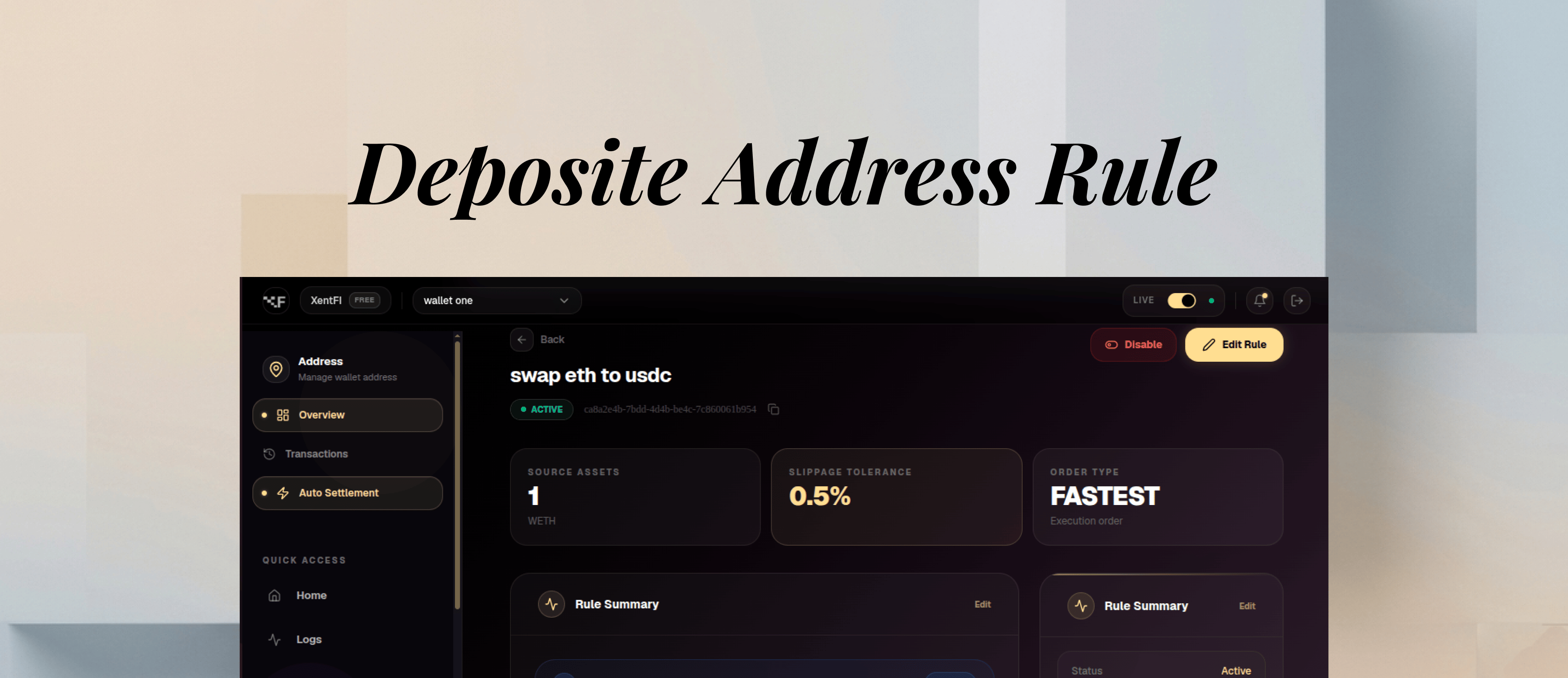
orderExecution orderASC (small to large), DESC (large to small)
slippageToleranceMax price slippage0.5%
isActiveRule enabled/disabledtrue / false

Settlement Execution

Real-time Settlement

Batch Settlement

Rule Types

Single Destination Rule

Send all funds from source to a single destination:

Conditional Rule

Send funds based on amount thresholds:

Multi-asset Rule

Different rules for different assets:
AssetRuleDestination
USDCAmount > $1,000USDC Treasury
USDTAll amountsUSDT Treasury
ETHDaily sweepETH Savings

Tiered Rule

Process settlements in priority order:

Settlement Monitoring

Settlement Dashboard

Available Metrics

MetricDescriptionUpdate Frequency
Total settledCumulative settlement volumeReal-time
Pending settlementsAwaiting executionReal-time
Failed settlementsTransactions that failedReal-time
Average settlement timeTime from trigger to completionHourly
Gas fees paidTotal settlement costsPer transaction

Webhook Events

EventTriggerPayload contains
settlement.createdRule triggeredRule details, amount
settlement.processingTransfer initiatedTransaction hash
settlement.completedTransfer confirmedFull transaction details
settlement.failedTransfer failedError reason
settlement.sweptBatch completedSummary of all transfers

Best Practices

  • Start simple - Begin with basic amount-based rules
  • Test on testnet - Validate rules before mainnet
  • Set appropriate thresholds - Avoid micro-settlements that waste gas
  • Monitor gas costs - Batch settlements during low-fee periods
  • Keep audit trail - Log all settlement events
  • Review regularly - Update rules as business needs change

Gas Optimization Strategies

StrategyDescriptionGas Savings
Batch settlementsCombine multiple transfersUp to 70%
Off-peak executionSettle during low gas times30-50%
L2 settlementUse Polygon/Base for settlement90%+
Threshold minimumsDon’t settle small amountsPrevents waste

Risk Management

RiskMitigation
Gas price spikesSet slippage tolerance, use L2
Failed transactionsRetry logic with backoff
Wrong destinationWhitelist destination addresses
Orphaned fundsMonitoring and alerts
Regulatory complianceSettlement audit trail

Troubleshooting

Possible causes:
  • Rule is inactive
  • Amount outside min/max range
  • Asset not in source list
  • Destination address invalid
Solutions:
  • Verify rule is active
  • Check amount thresholds
  • Confirm asset IDs
  • Validate destination address
Possible causes:
  • Insufficient gas
  • Network congestion
  • Destination wallet issue
  • Token approval missing
Solutions:
  • Increase gas limit
  • Wait and retry
  • Verify destination wallet
  • Check token approvals
Solutions:
  • Use L2 networks (Polygon, Base)
  • Batch settlements
  • Settle during low-traffic times
  • Increase minimum thresholds
Solutions:
  • Implement idempotency keys
  • Check for duplicate webhooks
  • Review rule configuration

Performance Metrics

MetricTargetDescription
Rule evaluation< 100msTime to evaluate conditions
Transfer initiation< 500msTime to start transfer
Confirmation timeNetwork dependentBlock confirmations
Webhook delivery< 2 secondsNotification time

Pricing Impact

FeatureStarterProfessionalBusinessEnterprise
Settlement rules525100Unlimited
Rule typesBasicAdvancedPremiumCustom
Batch settlementβŒβœ…βœ…βœ…
Custom gas strategyβŒβŒβœ…βœ…
Priority executionβŒβŒβœ…βœ…

Compliance & Reporting

RequirementStatusDescription
Settlement audit trailβœ…Complete history
Regulatory reportingβœ…Exportable reports
Tax reconciliationβœ…Per-transaction records
AML monitoringβœ…Automatic screening

Master Wallets

Source and destination wallets

Deposit Addresses

Source of incoming payments

Webhooks

Settlement notifications

Next Steps