> ## Documentation Index
> Fetch the complete documentation index at: https://docs.xentfi.com/llms.txt
> Use this file to discover all available pages before exploring further.
# Payment Links
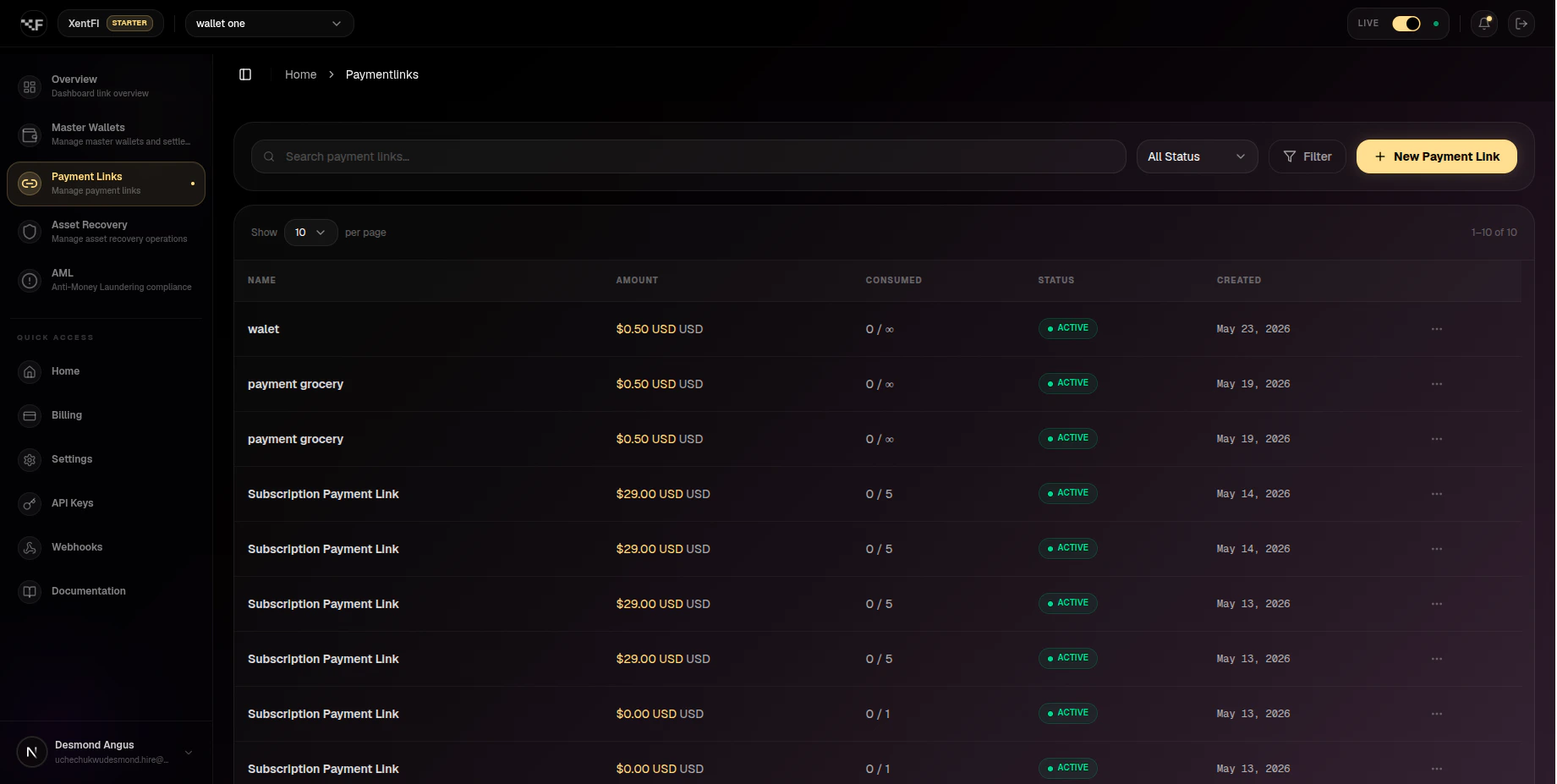
> Payment links are hosted payment pages that allow you to accept crypto payments without building a custom checkout interface. Simply generate a link, share it with your customer, and let XentFi handle the payment processing.
## Overview
 ```mermaid theme={null}
flowchart LR
subgraph Merchant["Your Business"]
PL[Payment Link\nGenerated]
Dashboard[Dashboard]
end
subgraph Customer["Customer Journey"]
Share[Share Link\nEmail/SMS/Chat]
Page[Payment Page\nHosted by XentFi]
Pay[Choose Method\nWallet Connect / Deposit]
Complete[Payment\nCompleted]
end
subgraph Settlement["Settlement"]
Wallet[Master Wallet]
Webhook[Webhook Notification]
end
Dashboard --> PL
PL --> Share
Share --> Page
Page --> Pay
Pay --> Complete
Complete --> Wallet
Complete --> Webhook
```
## Why Use Payment Links?
Launch a payment page in minutes without any development - just generate and share
Support both Wallet Connect and deposit address payments in a single link
Customize the payment page with your logo, colors, and success messages
Track payment status, conversion rates, and customer behavior
Enterprise-grade security with automatic fraud detection and AML screening
Create links for subscription billing with configurable payment limits
## Prerequisites: Enable Monitoring
Before creating payment links, you must enable blockchain monitoring on your master wallet. This allows XentFi to detect incoming payments and trigger settlement rules.
### Via Dashboard
Go to **Wallets** in the sidebar and select your master wallet
Click the **Configuration** tab in the wallet detail view
Under **Blockchain Monitoring**, toggle on the blockchain networks you want to monitor (e.g., Base, Ethereum, Polygon)
If you want to accept payments across multiple blockchains, toggle **Multichain Mode** on. This allows deposit addresses and settlement rules to span multiple networks.
Confirm that at least one blockchain shows as **Monitoring** active with the green indicator
```mermaid theme={null}
flowchart LR
subgraph Merchant["Your Business"]
PL[Payment Link\nGenerated]
Dashboard[Dashboard]
end
subgraph Customer["Customer Journey"]
Share[Share Link\nEmail/SMS/Chat]
Page[Payment Page\nHosted by XentFi]
Pay[Choose Method\nWallet Connect / Deposit]
Complete[Payment\nCompleted]
end
subgraph Settlement["Settlement"]
Wallet[Master Wallet]
Webhook[Webhook Notification]
end
Dashboard --> PL
PL --> Share
Share --> Page
Page --> Pay
Pay --> Complete
Complete --> Wallet
Complete --> Webhook
```
## Why Use Payment Links?
Launch a payment page in minutes without any development - just generate and share
Support both Wallet Connect and deposit address payments in a single link
Customize the payment page with your logo, colors, and success messages
Track payment status, conversion rates, and customer behavior
Enterprise-grade security with automatic fraud detection and AML screening
Create links for subscription billing with configurable payment limits
## Prerequisites: Enable Monitoring
Before creating payment links, you must enable blockchain monitoring on your master wallet. This allows XentFi to detect incoming payments and trigger settlement rules.
### Via Dashboard
Go to **Wallets** in the sidebar and select your master wallet
Click the **Configuration** tab in the wallet detail view
Under **Blockchain Monitoring**, toggle on the blockchain networks you want to monitor (e.g., Base, Ethereum, Polygon)
If you want to accept payments across multiple blockchains, toggle **Multichain Mode** on. This allows deposit addresses and settlement rules to span multiple networks.
Confirm that at least one blockchain shows as **Monitoring** active with the green indicator
 *The Configuration tab shows all available blockchains with toggle controls for monitoring.*
### Via API
```bash theme={null}
# Enable monitoring for a specific blockchain
curl -X POST https://api.xentfi.com/v1/master-wallets/{masterId}/monitoring/{blockchainId}/enable \
-H "apiKey: your-api-key" \
-H "orgId: your-org-id"
# Enable multichain mode
curl -X POST https://api.xentfi.com/v1/master-wallets/{masterId}/multichain/enable \
-H "apiKey: your-api-key" \
-H "orgId: your-org-id"
```
```javascript theme={null}
// Enable monitoring for a specific blockchain
const result = await client.enableMasterMonitoring({
masterId: 'your-master-wallet-id',
blockchainId: '8a864e95-4b86-423d-9ba4-f4e692ec121e' // Base Mainnet
});
console.log('Monitoring enabled:', result.message);
// Enable multichain mode
await client.enableMultichain({
masterId: 'your-master-wallet-id'
});
```
```python theme={null}
# Enable monitoring for a specific blockchain
result = client.enable_master_monitoring(
master_id='your-master-wallet-id',
blockchain_id='8a864e95-4b86-423d-9ba4-f4e692ec121e' # Base Mainnet
)
print(f"Monitoring enabled: {result['message']}")
# Enable multichain mode
client.enable_multichain(
master_id='your-master-wallet-id'
)
```
### Monitoring Configuration Options
| Option | Description | Impact |
| -------------------- | ------------------------------ | ---------------------------------------- |
| **Single Chain** | Monitor one blockchain only | Simpler setup, lower gas costs |
| **Multichain Mode** | Monitor multiple blockchains | Accept payments from any supported chain |
| **Per-Chain Toggle** | Enable/disable specific chains | Control costs, focus on active networks |
### Supported Blockchains for Payment Links
| Blockchain | Network | Chain ID | Status |
| ---------- | ------- | -------- | ----------- |
| Ethereum | Mainnet | 1 | ✅ Available |
| Base | Mainnet | 8453 | ✅ Available |
| Polygon | Mainnet | 137 | ✅ Available |
| Arbitrum | Mainnet | 42161 | ✅ Available |
| Optimism | Mainnet | 10 | ✅ Available |
| BNB Chain | Mainnet | 56 | ✅ Available |
## How Payment Links Work
```mermaid theme={null}
sequenceDiagram
participant Merchant
participant Dashboard as XentFi Dashboard
participant Customer
participant Payment as Payment Page
participant Blockchain
Merchant->>Dashboard: Create payment link
Dashboard-->>Merchant: Returns unique URL
Merchant->>Customer: Share link (email/SMS/chat)
Customer->>Payment: Opens payment page
Payment->>Customer: Displays amount & methods
Customer->>Payment: Selects payment method
Customer->>Blockchain: Completes payment
Blockchain->>Dashboard: Confirms transaction
Dashboard->>Merchant: Webhook notification
```
## Use Cases
### One-time Payments
| Use Case | Example | Best For |
| ---------------- | --------------------------- | --------------------- |
| Invoice payment | Service invoice for \$1,000 | Freelancers, agencies |
| Product checkout | One-time product purchase | E-commerce stores |
| Donation | Campaign donation page | Non-profits, creators |
| Event ticket | Conference ticket payment | Event organizers |
### Recurring Payments
| Use Case | Example | Best For |
| ------------ | ---------------------- | ---------------------- |
| Subscription | Monthly membership fee | SaaS businesses |
| Retainer | Weekly service payment | Consulting firms |
| Installment | 3-part payment plan | High-value products |
| Crowdfunding | Monthly pledge | Crowdfunding campaigns |
### Marketing Campaigns
| Use Case | Example | Best For |
| --------------- | ------------------------ | ------------------ |
| Limited offer | 24-hour flash sale | Promotions |
| Affiliate links | Partner-specific payment | Affiliate programs |
| A/B testing | Multiple link versions | Optimization |
| Seasonal promo | Holiday special pricing | Seasonal campaigns |
## Creating Payment Links
### Via Dashboard
Go to **Payment Links** in the sidebar
Click the **Create Payment Link** button
Fill in the payment details:
* **Name**: Descriptive name for the link
* **Amount**: Payment amount
* **Currency**: USD or crypto
* **Redirect URL**: Where to send customers after payment
Review settings and click **Create Payment Link**
### Via API
```bash theme={null}
curl -X POST https://api.xentfi.com/v1/payment-links \
-H "apiKey: your-api-key" \
-H "orgId: your-org-id" \
-H "Content-Type: application/json" \
-d '{
"name": "Product Purchase",
"amount": "100",
"evmSettlementWalletId": "your-master-wallet-id",
"refId": "order_12345",
"redirectUrl": "https://yourapp.com/success",
"isActive": true
}'
```
**Request Parameters:**
| Parameter | Type | Required | Description |
| -------------------------- | ------- | -------- | ------------------------------------------ |
| `name` | string | ✅ | Display name for the payment link |
| `amount` | string | ✅ | Payment amount (e.g., "100.00") |
| `evmSettlementWalletId` | string | ✅ | ID of the master wallet to receive funds |
| `refId` | string | ✅ | Your internal reference ID (UUID format) |
| `solanaSettlementWalletId` | string | ❌ | Solana master wallet ID (if accepting SOL) |
| `description` | string | ❌ | Additional description |
| `currency` | string | ❌ | Currency code (default: USD) |
| `paymentLimit` | integer | ❌ | Max number of payments allowed |
| `redirectUrl` | string | ❌ | URL to redirect after payment |
| `successMessage` | string | ❌ | Custom success message |
| `failureMessage` | string | ❌ | Custom failure message |
| `metadata` | object | ❌ | Additional metadata |
| `expiresAt` | string | ❌ | Link expiration date/time |
| `isActive` | boolean | ❌ | Whether the link is active |
| `file` | binary | ❌ | Image file for the payment page |
### Response Example
```json theme={null}
{
"data": {
"id": "link_123e4567-e89b-12d3-a456-426614174000",
"name": "Product Purchase",
"description": "Premium product purchase",
"slug": "product-purchase",
"refId": "order_12345",
"amount": "100.00",
"currency": "USD",
"redirectUrl": "https://yourapp.com/success",
"successMessage": "Thank you for your purchase!",
"failureMessage": "Payment failed. Please try again.",
"isActive": true,
"evmSettlementWalletId": "your-master-wallet-id",
"allowedBlockchains": [
{
"id": "8a864e95-4b86-423d-9ba4-f4e692ec121e",
"name": "Base",
"slug": "base-mainnet",
"symbol": "ETH"
}
],
"expiresAt": null,
"createdAt": "2024-01-15T10:30:00.000Z",
"updatedAt": "2024-01-15T10:30:00.000Z"
}
}
```
## Payment Page Experience
*The Configuration tab shows all available blockchains with toggle controls for monitoring.*
### Via API
```bash theme={null}
# Enable monitoring for a specific blockchain
curl -X POST https://api.xentfi.com/v1/master-wallets/{masterId}/monitoring/{blockchainId}/enable \
-H "apiKey: your-api-key" \
-H "orgId: your-org-id"
# Enable multichain mode
curl -X POST https://api.xentfi.com/v1/master-wallets/{masterId}/multichain/enable \
-H "apiKey: your-api-key" \
-H "orgId: your-org-id"
```
```javascript theme={null}
// Enable monitoring for a specific blockchain
const result = await client.enableMasterMonitoring({
masterId: 'your-master-wallet-id',
blockchainId: '8a864e95-4b86-423d-9ba4-f4e692ec121e' // Base Mainnet
});
console.log('Monitoring enabled:', result.message);
// Enable multichain mode
await client.enableMultichain({
masterId: 'your-master-wallet-id'
});
```
```python theme={null}
# Enable monitoring for a specific blockchain
result = client.enable_master_monitoring(
master_id='your-master-wallet-id',
blockchain_id='8a864e95-4b86-423d-9ba4-f4e692ec121e' # Base Mainnet
)
print(f"Monitoring enabled: {result['message']}")
# Enable multichain mode
client.enable_multichain(
master_id='your-master-wallet-id'
)
```
### Monitoring Configuration Options
| Option | Description | Impact |
| -------------------- | ------------------------------ | ---------------------------------------- |
| **Single Chain** | Monitor one blockchain only | Simpler setup, lower gas costs |
| **Multichain Mode** | Monitor multiple blockchains | Accept payments from any supported chain |
| **Per-Chain Toggle** | Enable/disable specific chains | Control costs, focus on active networks |
### Supported Blockchains for Payment Links
| Blockchain | Network | Chain ID | Status |
| ---------- | ------- | -------- | ----------- |
| Ethereum | Mainnet | 1 | ✅ Available |
| Base | Mainnet | 8453 | ✅ Available |
| Polygon | Mainnet | 137 | ✅ Available |
| Arbitrum | Mainnet | 42161 | ✅ Available |
| Optimism | Mainnet | 10 | ✅ Available |
| BNB Chain | Mainnet | 56 | ✅ Available |
## How Payment Links Work
```mermaid theme={null}
sequenceDiagram
participant Merchant
participant Dashboard as XentFi Dashboard
participant Customer
participant Payment as Payment Page
participant Blockchain
Merchant->>Dashboard: Create payment link
Dashboard-->>Merchant: Returns unique URL
Merchant->>Customer: Share link (email/SMS/chat)
Customer->>Payment: Opens payment page
Payment->>Customer: Displays amount & methods
Customer->>Payment: Selects payment method
Customer->>Blockchain: Completes payment
Blockchain->>Dashboard: Confirms transaction
Dashboard->>Merchant: Webhook notification
```
## Use Cases
### One-time Payments
| Use Case | Example | Best For |
| ---------------- | --------------------------- | --------------------- |
| Invoice payment | Service invoice for \$1,000 | Freelancers, agencies |
| Product checkout | One-time product purchase | E-commerce stores |
| Donation | Campaign donation page | Non-profits, creators |
| Event ticket | Conference ticket payment | Event organizers |
### Recurring Payments
| Use Case | Example | Best For |
| ------------ | ---------------------- | ---------------------- |
| Subscription | Monthly membership fee | SaaS businesses |
| Retainer | Weekly service payment | Consulting firms |
| Installment | 3-part payment plan | High-value products |
| Crowdfunding | Monthly pledge | Crowdfunding campaigns |
### Marketing Campaigns
| Use Case | Example | Best For |
| --------------- | ------------------------ | ------------------ |
| Limited offer | 24-hour flash sale | Promotions |
| Affiliate links | Partner-specific payment | Affiliate programs |
| A/B testing | Multiple link versions | Optimization |
| Seasonal promo | Holiday special pricing | Seasonal campaigns |
## Creating Payment Links
### Via Dashboard
Go to **Payment Links** in the sidebar
Click the **Create Payment Link** button
Fill in the payment details:
* **Name**: Descriptive name for the link
* **Amount**: Payment amount
* **Currency**: USD or crypto
* **Redirect URL**: Where to send customers after payment
Review settings and click **Create Payment Link**
### Via API
```bash theme={null}
curl -X POST https://api.xentfi.com/v1/payment-links \
-H "apiKey: your-api-key" \
-H "orgId: your-org-id" \
-H "Content-Type: application/json" \
-d '{
"name": "Product Purchase",
"amount": "100",
"evmSettlementWalletId": "your-master-wallet-id",
"refId": "order_12345",
"redirectUrl": "https://yourapp.com/success",
"isActive": true
}'
```
**Request Parameters:**
| Parameter | Type | Required | Description |
| -------------------------- | ------- | -------- | ------------------------------------------ |
| `name` | string | ✅ | Display name for the payment link |
| `amount` | string | ✅ | Payment amount (e.g., "100.00") |
| `evmSettlementWalletId` | string | ✅ | ID of the master wallet to receive funds |
| `refId` | string | ✅ | Your internal reference ID (UUID format) |
| `solanaSettlementWalletId` | string | ❌ | Solana master wallet ID (if accepting SOL) |
| `description` | string | ❌ | Additional description |
| `currency` | string | ❌ | Currency code (default: USD) |
| `paymentLimit` | integer | ❌ | Max number of payments allowed |
| `redirectUrl` | string | ❌ | URL to redirect after payment |
| `successMessage` | string | ❌ | Custom success message |
| `failureMessage` | string | ❌ | Custom failure message |
| `metadata` | object | ❌ | Additional metadata |
| `expiresAt` | string | ❌ | Link expiration date/time |
| `isActive` | boolean | ❌ | Whether the link is active |
| `file` | binary | ❌ | Image file for the payment page |
### Response Example
```json theme={null}
{
"data": {
"id": "link_123e4567-e89b-12d3-a456-426614174000",
"name": "Product Purchase",
"description": "Premium product purchase",
"slug": "product-purchase",
"refId": "order_12345",
"amount": "100.00",
"currency": "USD",
"redirectUrl": "https://yourapp.com/success",
"successMessage": "Thank you for your purchase!",
"failureMessage": "Payment failed. Please try again.",
"isActive": true,
"evmSettlementWalletId": "your-master-wallet-id",
"allowedBlockchains": [
{
"id": "8a864e95-4b86-423d-9ba4-f4e692ec121e",
"name": "Base",
"slug": "base-mainnet",
"symbol": "ETH"
}
],
"expiresAt": null,
"createdAt": "2024-01-15T10:30:00.000Z",
"updatedAt": "2024-01-15T10:30:00.000Z"
}
}
```
## Payment Page Experience
 *The hosted payment page adapts to your brand and supports multiple payment methods.*
### Customer Journey
Customer opens the payment link in their browser
Optional: Customer provides name and email
Choose between Wallet Connect or deposit address
Customer pays using their preferred method
Automatic redirect to your configured URL
## Payment Methods
### Wallet Connect
| Feature | Description |
| --------------------- | --------------------------------------------------------------- |
| **Supported wallets** | MetaMask, Trust Wallet, Rainbow, Coinbase Wallet, WalletConnect |
| **User experience** | Connect wallet → Approve → Confirm transaction |
| **Best for** | Users who already have a crypto wallet |
| **Payment speed** | Transaction confirms in seconds |
### Deposit Address
| Feature | Description |
| --------------------- | ------------------------------ |
| **Supported wallets** | Any wallet or exchange |
| **User experience** | Copy address → Send funds |
| **Best for** | Exchange users, large payments |
| **Payment speed** | Depends on blockchain network |
## Payment Status Flow
```mermaid theme={null}
stateDiagram-v2
[*] --> Created: Link generated
Created --> Pending: Customer opens link
Pending --> Processing: Payment initiated
Processing --> Completed: Transaction confirmed
Processing --> Failed: Transaction failed
Pending --> Expired: Timeout (3 minutes for deposit)
Completed --> [*]
Failed --> [*]
Expired --> [*]
```
## Payment Limits & Expiration
### Payment Limits
Control how many payments a link can accept:
| Limit Type | Description | Use Case |
| ------------ | -------------------- | -------------------------------- |
| Single use | `paymentLimit: 1` | One-time invoice |
| Multi-use | `paymentLimit: 10` | Shared payment link |
| Unlimited | `paymentLimit: null` | Donation page |
| Subscription | `paymentLimit: 12` | Monthly subscription (12 months) |
### Expiration Settings
| Setting | Description | Default |
| --------------- | ----------------------------- | ------------------- |
| Link expiry | Link stops working after date | Never |
| Session timeout | Payment session expires | 3 minutes (deposit) |
| Quote expiry | Price quote valid for | 15 minutes |
## Customization Options
### Branding
| Element | Customizable | Description |
| --------------- | ------------ | ------------------------------------------- |
| Logo | ✅ Yes | Your company logo displayed on payment page |
| Colors | ✅ Yes | Primary and secondary colors |
| Fonts | ✅ Yes | Custom font family |
| Success message | ✅ Yes | Text shown after payment |
| Failure message | ✅ Yes | Text shown if payment fails |
### Redirect Behavior
```mermaid theme={null}
flowchart LR
Payment[Payment Page] --> Success[Success URL]
Payment --> Failure[Failure URL]
Success --> ThankYou[Thank you page]
Failure --> Retry[Try again page]
```
## Webhook Events
| Event | Trigger | Payload contains |
| -------------------- | ----------------- | ------------------------ |
| `payment.created` | Link opened | Payment intent details |
| `payment.processing` | Payment submitted | Transaction hash |
| `payment.completed` | Payment confirmed | Full transaction details |
| `payment.failed` | Payment failed | Error reason |
| `payment.expired` | Session timeout | Expiration details |
## Analytics & Reporting
*The hosted payment page adapts to your brand and supports multiple payment methods.*
### Customer Journey
Customer opens the payment link in their browser
Optional: Customer provides name and email
Choose between Wallet Connect or deposit address
Customer pays using their preferred method
Automatic redirect to your configured URL
## Payment Methods
### Wallet Connect
| Feature | Description |
| --------------------- | --------------------------------------------------------------- |
| **Supported wallets** | MetaMask, Trust Wallet, Rainbow, Coinbase Wallet, WalletConnect |
| **User experience** | Connect wallet → Approve → Confirm transaction |
| **Best for** | Users who already have a crypto wallet |
| **Payment speed** | Transaction confirms in seconds |
### Deposit Address
| Feature | Description |
| --------------------- | ------------------------------ |
| **Supported wallets** | Any wallet or exchange |
| **User experience** | Copy address → Send funds |
| **Best for** | Exchange users, large payments |
| **Payment speed** | Depends on blockchain network |
## Payment Status Flow
```mermaid theme={null}
stateDiagram-v2
[*] --> Created: Link generated
Created --> Pending: Customer opens link
Pending --> Processing: Payment initiated
Processing --> Completed: Transaction confirmed
Processing --> Failed: Transaction failed
Pending --> Expired: Timeout (3 minutes for deposit)
Completed --> [*]
Failed --> [*]
Expired --> [*]
```
## Payment Limits & Expiration
### Payment Limits
Control how many payments a link can accept:
| Limit Type | Description | Use Case |
| ------------ | -------------------- | -------------------------------- |
| Single use | `paymentLimit: 1` | One-time invoice |
| Multi-use | `paymentLimit: 10` | Shared payment link |
| Unlimited | `paymentLimit: null` | Donation page |
| Subscription | `paymentLimit: 12` | Monthly subscription (12 months) |
### Expiration Settings
| Setting | Description | Default |
| --------------- | ----------------------------- | ------------------- |
| Link expiry | Link stops working after date | Never |
| Session timeout | Payment session expires | 3 minutes (deposit) |
| Quote expiry | Price quote valid for | 15 minutes |
## Customization Options
### Branding
| Element | Customizable | Description |
| --------------- | ------------ | ------------------------------------------- |
| Logo | ✅ Yes | Your company logo displayed on payment page |
| Colors | ✅ Yes | Primary and secondary colors |
| Fonts | ✅ Yes | Custom font family |
| Success message | ✅ Yes | Text shown after payment |
| Failure message | ✅ Yes | Text shown if payment fails |
### Redirect Behavior
```mermaid theme={null}
flowchart LR
Payment[Payment Page] --> Success[Success URL]
Payment --> Failure[Failure URL]
Success --> ThankYou[Thank you page]
Failure --> Retry[Try again page]
```
## Webhook Events
| Event | Trigger | Payload contains |
| -------------------- | ----------------- | ------------------------ |
| `payment.created` | Link opened | Payment intent details |
| `payment.processing` | Payment submitted | Transaction hash |
| `payment.completed` | Payment confirmed | Full transaction details |
| `payment.failed` | Payment failed | Error reason |
| `payment.expired` | Session timeout | Expiration details |
## Analytics & Reporting
 ### Available Metrics
| Metric | Description | Update Frequency |
| --------------------- | --------------------------------- | ---------------- |
| Conversion rate | % of links that result in payment | Real-time |
| Average payment value | Average transaction amount | Daily |
| Payment methods | Distribution by method | Real-time |
| Geographic breakdown | Customer locations | Daily |
| Device breakdown | Desktop vs mobile | Daily |
| Time to payment | Average completion time | Hourly |
## Best Practices
* **Use descriptive names** - Include product name, customer ID, or invoice number
* **Set payment limits** - Prevent overpayment for limited-use links
* **Configure redirect URLs** - Always provide success/failure redirects
* **Add metadata** - Store internal references for reconciliation
* **Monitor webhooks** - Implement proper webhook handling
* **Enable monitoring** - Ensure at least one blockchain is monitored for payment detection
* **Test thoroughly** - Use testnet before going live
## Payment Link vs Deposit Address
| Feature | Payment Link | Deposit Address |
| ----------------------- | ------------------------ | -------------------------- |
| **Customer experience** | Guided checkout | Manual address copy |
| **Payment methods** | Wallet Connect + Deposit | Deposit only |
| **QR code** | Auto-generated | Manual generation |
| **Branding** | Customizable | None |
| **Analytics** | Built-in | Basic |
| **Best for** | New customers, marketing | Technical users, recurring |
| **Setup time** | 1 minute | 1 minute |
## Troubleshooting
**Solution:** The link has reached its maximum number of payments. Create a new link or increase the payment limit.
**Possible causes:**
* Exchange rate fluctuations
* Different network selected
* Token price changes
**Solution:** The amount is locked for 15 minutes; advise customer to complete payment quickly.
**Possible causes:**
* Invalid URL format
* CORS issues
* Missing protocol (https\://)
**Solution:** Ensure redirect URLs include `https://` and are publicly accessible.
**Solution:**
* Verify webhook is configured
* Check endpoint is publicly accessible
* Review webhook logs in dashboard
## Performance Benchmarks
| Metric | Target | Description |
| ----------------- | ------------- | ------------------------------- |
| Link creation | \< 500ms | Time to generate payment link |
| Page load time | \< 1 second | Payment page load speed |
| Wallet Connect | \< 3 seconds | Wallet connection time |
| Deposit detection | \< 10 seconds | Time to detect incoming payment |
| Webhook delivery | \< 2 seconds | Time to send notification |
## Pricing
| Feature | Starter | Professional | Business | Enterprise |
| ------------------- | ------- | ------------ | -------- | ---------- |
| Payment links/month | 100 | 1,000 | 10,000 | Unlimited |
| Custom branding | ❌ | ✅ | ✅ | ✅ |
| Analytics | Basic | Advanced | Premium | Custom |
| API access | ✅ | ✅ | ✅ | ✅ |
| Webhooks | ✅ | ✅ | ✅ | ✅ |
| Priority support | ❌ | ✅ | ✅ | 24/7 |
## Compliance
| Requirement | Status | Description |
| --------------- | ------ | --------------------- |
| AML screening | ✅ | All payments screened |
| Sanctions check | ✅ | OFAC compliance |
| Fraud detection | ✅ | Automated monitoring |
| Data privacy | ✅ | GDPR compliant |
| PCI DSS | ✅ | Level 1 certified |
## Related Products
Receive payments to your treasury
Real-time payment notifications
Automatic fund distribution
## Next Steps
* [Set up webhooks](/products/webhooks) for real-time notifications
* [Configure auto-settlement](/products/auto-settlement) for fund distribution
* [Review API Reference](/api-reference) for complete endpoint documentation
### Available Metrics
| Metric | Description | Update Frequency |
| --------------------- | --------------------------------- | ---------------- |
| Conversion rate | % of links that result in payment | Real-time |
| Average payment value | Average transaction amount | Daily |
| Payment methods | Distribution by method | Real-time |
| Geographic breakdown | Customer locations | Daily |
| Device breakdown | Desktop vs mobile | Daily |
| Time to payment | Average completion time | Hourly |
## Best Practices
* **Use descriptive names** - Include product name, customer ID, or invoice number
* **Set payment limits** - Prevent overpayment for limited-use links
* **Configure redirect URLs** - Always provide success/failure redirects
* **Add metadata** - Store internal references for reconciliation
* **Monitor webhooks** - Implement proper webhook handling
* **Enable monitoring** - Ensure at least one blockchain is monitored for payment detection
* **Test thoroughly** - Use testnet before going live
## Payment Link vs Deposit Address
| Feature | Payment Link | Deposit Address |
| ----------------------- | ------------------------ | -------------------------- |
| **Customer experience** | Guided checkout | Manual address copy |
| **Payment methods** | Wallet Connect + Deposit | Deposit only |
| **QR code** | Auto-generated | Manual generation |
| **Branding** | Customizable | None |
| **Analytics** | Built-in | Basic |
| **Best for** | New customers, marketing | Technical users, recurring |
| **Setup time** | 1 minute | 1 minute |
## Troubleshooting
**Solution:** The link has reached its maximum number of payments. Create a new link or increase the payment limit.
**Possible causes:**
* Exchange rate fluctuations
* Different network selected
* Token price changes
**Solution:** The amount is locked for 15 minutes; advise customer to complete payment quickly.
**Possible causes:**
* Invalid URL format
* CORS issues
* Missing protocol (https\://)
**Solution:** Ensure redirect URLs include `https://` and are publicly accessible.
**Solution:**
* Verify webhook is configured
* Check endpoint is publicly accessible
* Review webhook logs in dashboard
## Performance Benchmarks
| Metric | Target | Description |
| ----------------- | ------------- | ------------------------------- |
| Link creation | \< 500ms | Time to generate payment link |
| Page load time | \< 1 second | Payment page load speed |
| Wallet Connect | \< 3 seconds | Wallet connection time |
| Deposit detection | \< 10 seconds | Time to detect incoming payment |
| Webhook delivery | \< 2 seconds | Time to send notification |
## Pricing
| Feature | Starter | Professional | Business | Enterprise |
| ------------------- | ------- | ------------ | -------- | ---------- |
| Payment links/month | 100 | 1,000 | 10,000 | Unlimited |
| Custom branding | ❌ | ✅ | ✅ | ✅ |
| Analytics | Basic | Advanced | Premium | Custom |
| API access | ✅ | ✅ | ✅ | ✅ |
| Webhooks | ✅ | ✅ | ✅ | ✅ |
| Priority support | ❌ | ✅ | ✅ | 24/7 |
## Compliance
| Requirement | Status | Description |
| --------------- | ------ | --------------------- |
| AML screening | ✅ | All payments screened |
| Sanctions check | ✅ | OFAC compliance |
| Fraud detection | ✅ | Automated monitoring |
| Data privacy | ✅ | GDPR compliant |
| PCI DSS | ✅ | Level 1 certified |
## Related Products
Receive payments to your treasury
Real-time payment notifications
Automatic fund distribution
## Next Steps
* [Set up webhooks](/products/webhooks) for real-time notifications
* [Configure auto-settlement](/products/auto-settlement) for fund distribution
* [Review API Reference](/api-reference) for complete endpoint documentation